kr260-pc · part 1 of 7
Six PCs in one FPGA board: from the XT to the Pentium
The m9b and m20 were computers of our own design. This one goes the other way: PCs as they were, from an XT with a CGA card to a Pentium-class machine with a 3dfx Voodoo running Windows 98, in the FPGA of an AMD Kria KR260 board. Each generation is a bitstream of its own, and an on-screen menu switches between them.
Unlike the Tang Nano boards, the KR260 has a Linux computer sitting right next to the FPGA logic. That splits the work nicely: the hardware that software can see (CPU, chipset, video and sound cards) is in the FPGA, while Linux takes the part of the mechanics: the disks, the CD-ROM, the network, and the USB keyboard and mouse. We also didn’t write all of it ourselves: several of the CPUs and a good part of the chips come from other projects, and each page lists them.
This first page is the overview. Every machine then has a page of its own, with its diagram, its specs, what we ran on it, and what it’s built from.
The board
The Kria K26 module is an AMD Zynq UltraScale+: four 64-bit Arm cores with 4 GB of DDR4, and an FPGA with about six times the lookup tables of the Tang Nano 20K’s (and larger ones, with six inputs instead of four). The KR260 carrier board adds DisplayPort, USB, Ethernet and a microSD card, and that is all a PC needs.
The 6 machines
| CPU | Clock | Video | Sound | Known to run | |
|---|---|---|---|---|---|
| XT | 8088 (MCL86) | 4.77 MHz | CGA, Hercules | speaker, AdLib | FreeDOS, DOS programs |
| Exact XT | our 8088, Intel’s microcode | 4.77 MHz | CGA, composite | speaker, AdLib | 8088 MPH, Area 5150 |
| AT | 80286 (SPK286) | 8 MHz | EGA | Sound Blaster Pro | DOS, Windows 3.0 standard mode |
| 386 | z386 | 57 MHz | VGA | Sound Blaster Pro, OPL3 | MS-DOS 6.22, Windows for Workgroups 3.11 |
| 486 | z486 with x87 | 57 MHz | ET4000 | Sound Blaster 16 | Windows for Workgroups 3.11, Windows 95 |
| Pentium class | z486 with Pentium additions | 100 MHz | S3 Trio64V+, Voodoo | Sound Blaster 16 | Windows 98 SE, Doom, Second Reality, POD |
The clock is the one the CPU core runs on. The 386 and later run their cores as fast as they go, rather than at a period clock rate.
The goals change along the way. The cycle-exact XT should be indistinguishable from the real one down to the bus cycle, since that is what its demos need. The EGA and VGA are checked against MartyPC at the register level. From the 486 on, exact timing stops being the point and the machines just need to be fast and compatible. The Pentium-class machine doesn’t even have a Pentium: it’s a 486 core with the Pentium instructions that software looks for, and a much faster floating-point unit.
The system
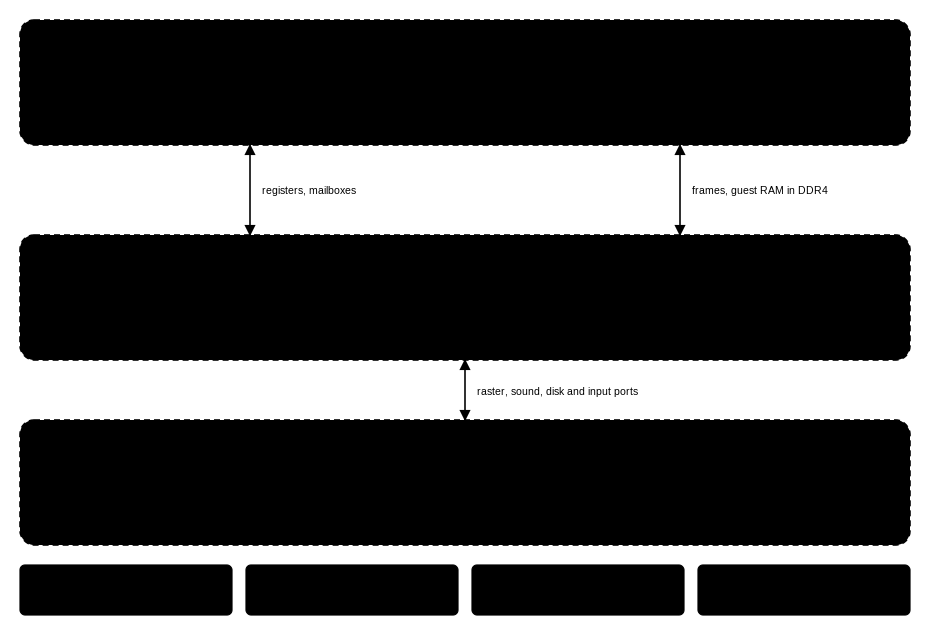
Every bitstream is the same platform shell around a different machine:
The virtual monitor. The video cards produce a raw picture signal with syncs, as the real ones did, and the shell acts as the monitor. It measures the sync and locks to whatever comes in, be it CGA, VGA or some demo’s homebrew mode, captures the picture into DDR, and a scaler shows it on DisplayPort. No card has to know about it.
The disk mailbox. Disk controllers see their drives’ sectors arrive through a small mailbox that Linux serves. On the later machines, the IDE drives’ commands are decided in software as well, so the FPGA has just the task file and data register, and an ATAPI CD-ROM is a matter of Linux code.
Input and audio. Keyboard and mouse events go from Linux as scan codes and mouse packets into the emulated keyboard controller and mouse port. Sound goes out through DisplayPort’s audio.
Debugging. Linux can load and read back state, and a logic analyser in every bitstream captures bus cycles. This one has earned its keep many times over.
On the Linux side, pc-run runs the devices, and the Menu key opens a menu over the picture to change floppies, the CD, the monitor settings, or the whole machine.
One bitstream, one machine
| Machine | LUTs | Block RAMs | Vivado’s time |
|---|---|---|---|
| XT | ≈ 11,700 | 56.5 | 5 min |
| Exact XT | ≈ 15,900 | – | 5 min |
| AT | ≈ 21,700 (with a VGA) | 74 | 8 min |
| 386 | ≈ 41,600 | 93 | 10 min |
| 486 | ≈ 38,200 | 94.5 | 10 min |
| Pentium class | 108,600 of 117,120 (93%) | 139.5 of 144 | about an hour |
The first five are from earlier builds and will be updated. The Pentium row is the current one.
The first five leave the chip mostly empty. The last one nearly fills it: the Voodoo, the S3 and the x87 unit are large, and at 100 MHz it only just closes timing.
What you need to know before building one
The design can be built but not downloaded: the 386, 486, Pentium and cycle-exact XT bitstreams contain Intel’s original microcode, which the CPU projects recovered and which isn’t ours to distribute. Their sources are fetched from their own repositories, at pinned commits, and the bitstreams are built on your own machine. The same holds for the vendor BIOSes. A build needs the (free) Vivado 2026.1 and patience for the last machine.
The series
- The XT: MCL86’s 8088 with the KFPC-XT chipset, CGA and Hercules.
- The cycle-exact XT: Intel’s microcode, checked cycle by cycle, running the demos that need it.
- The AT: an 80286, with an EGA.
- The 386: z386, caches, memory in DDR and a VGA.
- The 486: z486, the ET4000, plug and play, Windows 95.
- The Pentium-class PC: PCI, an S3 Trio64V+, a Voodoo, and Windows 98.
Credits
A lot of this is other people’s work, and each machine’s page says what it uses. The ones used everywhere:
- nand2mario: z386, z486 and zSST (the Voodoo), with the microcode recovery behind the first two
- Ted Fried and Marcus Andrade (MCL86), kitune-san (KFPC-XT) and Aleksander Osman (ao486’s floppy controller), through PCXT_MiSTer
- Aitor Gomez Garcia: SPK286
- Andrew Jenner and Daniel Balsom: XTCE, XTCE-Blue and MartyPC, our references for the exact XT, the EGA and the VGA
- GLaBIOS, the XTIDE Universal BIOS, SeaBIOS, jtopl, Buildroot and Verilator